Lead routing · Skills-based routing

Skills-based routing in Salesforce, matched to the right rep.

Send every lead and case to the rep best equipped for the customer - matched by skill, product line, industry, language or seniority. All inside Salesforce, all no-code.

4.9  AppExchange Rating

100% Salesforce-native

Live in minutes

Trusted for fair, fast routing by 20,000+ users since 2013.

The problem

The next rep isn't always the right rep.

{{ }}

Mismatched assignments

A German enterprise lead lands with a rep who only sells SMB in English - so it bounces, stalls, or gets passed around until it goes cold.

{{ }}

Specialists go to waste

The product expert sits idle while generalists field questions they can't answer - and the deal suffers for it.

{{ }}

Native routing is blunt

Salesforce assignment rules can't use skills, and Omni-Channel skills routing is restricted to Service-Cloud and heavy to set up. No out-of-the-box solution for leads.

In short

What is skills-based routing?

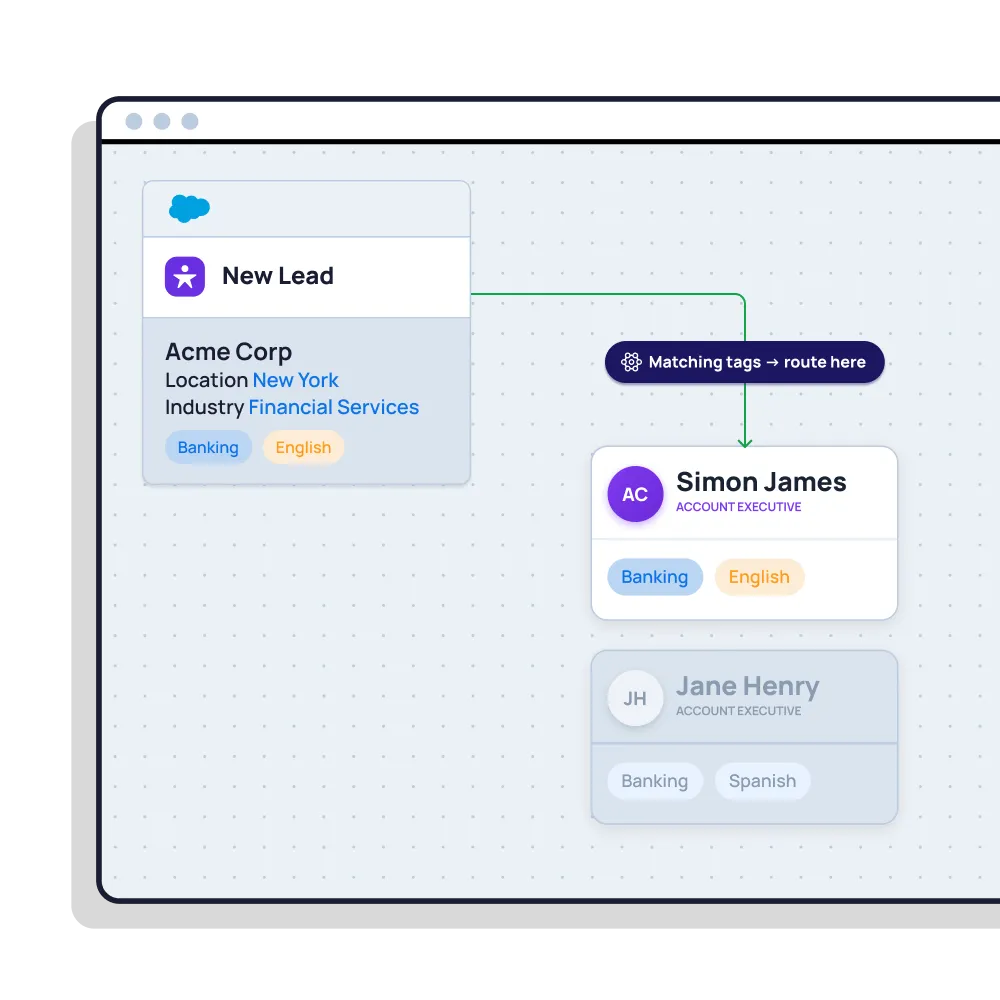
Skills-based routing assigns incoming work - leads, cases or any record - to the person best equipped to handle it, based on attributes like product knowledge, industry, language, region or seniority, rather than simply who's next in line. In Salesforce, it matches each record to a qualified team, then shares work fairly within it.

Distribution Engine does this by assigning tags to your reps and records. It routes matching records to reps based on their tags. All with no-code, and no need for Salesforce Omni-Channel.

Read story
Beyond the basics

Right-fit routing, without the rigidity.

Match every record to the reps with the skills to work it - then keep distribution fair inside that pool.

Match on any attribute

Route by skill, product line, industry, language, region, deal size or certification — any Salesforce field, or a combination of them.

Round robin within the team

Once a record is matched to a qualified team, share it fairly among them — right-fit and even, not one or the other.

Fallback when no one fits

If no perfect match is free, route to the next-best team or a backup queue — so nothing stalls waiting on a single specialist.

Weighting & availability

Favour your strongest reps for high-value records, and skip anyone unavailable, off-shift or already at capacity.

Leads and cases alike

Apply the same skills routing across Sales and Service — Leads, Cases and any object — from one tool, one setup.

100% Salesforce-native

Skills routing runs inside your org — no Omni-Channel, no external ACD, and no data ever leaving Salesforce.

Distribution Engine vs. native Salesforce

How skills-based routing compares to native Salesforce.

Salesforce offers skills routing through Omni-Channel, strong for Service, but Service-Cloud-bound and heavy. Here's what changes when you need it for Leads too, no-code.

Capability
Native Salesforce
Distribution Engine
Even round robin rotation
Weighted distribution
Capacity caps & live workload balancing
Availability, shifts & out-of-office
Skills, territory & account matching
Limited
Auto-reassign on SLA breach
Round robin any object (not just Leads)
No-code edits by the team that owns the work
Audit trail & reporting in Salesforce
Basic
Capability
Native Salesforce
Distribution Engine
Skills-based routing for Leads
Skills-based routing for Cases
Omni-Channel
Works without Omni-Channel
Match on any Salesforce field
Limited
Round robin within the skill pool
Fallback / next-best-team routing
Limited
Weighting & capacity caps
No-code setup by the ops team
Works across any object
Limited
The Payoff

Right rep, better numbers.

97
%
routing accuracy
Across customers
40
%
higher lead conversion
<
10
min
average response time
Across customers
8
hrs
saved every day

"I cannot say enough wonderful things about this app! It gives our teams the flexibility to manage the assignment rotation how they need to without investing multiple hours each day into the manual distribution of cases."

Read story

Becca Allen
Product Manager, Salesforce Configuration Lead
Get started

Route every record to the rep who fits.
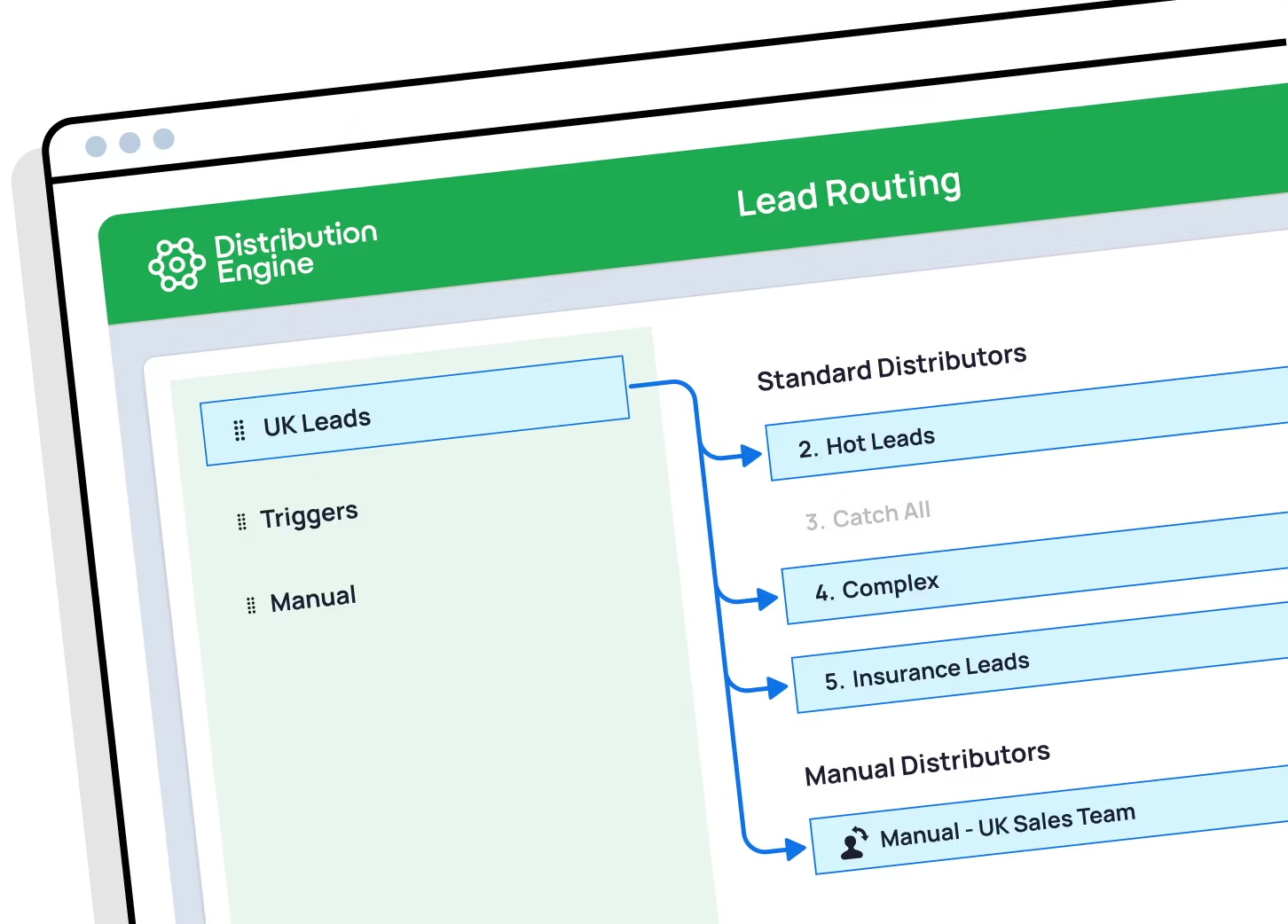
See skills-based routing working in your own org. You can trial Distribution Engine for free, or get in touch if you'd prefer to chat.

Your questions answered.

Skills-based routing FAQs.

What is skills-based routing?

Does Salesforce have native skills-based routing?

Round robin or skills-based routing — which should I use?

Can I route leads by language, industry or product?

What if no rep with the right skill is available?

Do I need Salesforce Omni-Channel for skills-based routing?

How do I set up skills without code?

Does it work for support cases too?

How is round robin in Distribution Engine different from native Salesforce assignment rules?

Can I weight round robin so some reps get more leads?

How do I keep round robin fair when reps are on holiday or out of office?

How do I route leads by territory and still keep round robin?

Can I round robin cases and other objects, not just leads?

What happens if a rep doesn't action their lead in time?

Is it really no-code?

How does Distribution Engine compare to other round robin tools?

Is Distribution Engine Salesforce-native?

Does workload routing work alongside round robin?