
Salesforce Ben's AppAssessor review of Distribution Engine - check it out now!
Test it for free for 30 days or get in touch if you’d prefer to chat.
Fancy giving Distribution Engine a try?
Have a play around for free, or get in touch if you’d prefer to chat.
How to Automate Lead Routing in Salesforce.
Key takeaways:
Manual routing is a growth killer: Relying on human intervention to assign leads creates bottlenecks, lead decay, and friction among sales team members.
Speed is the ultimate conversion factor: Automating distribution is essential to hit the critical five-minute response window that can increase conversion rates by up to 9x.
Native Salesforce tools have limits: Lead Assignment Rules and Flows are great starting points, but they often become too rigid or "admin-heavy" for complex, fast-changing organizations.
Smart routing uses diverse logic: Successful teams combine strategies like round-robin, territory-based, and weighted distribution to ensure leads reach the most qualified, available rep.
Availability is as important as logic: Failing to account for rep vacations or "out of office" status can kill your speed-to-lead, even if your technical routing rules are perfect.
Specialist solutions empower managers: Tools like Distribution Engine allow sales managers to adjust routing and capacity on the fly without waiting for a Salesforce Administrator to clear a ticket.
When you're a small business, manual routing works. An admin or a sales manager triages the inbox, looks at a spreadsheet, and pings a rep. But as you scale, this "human-in-the-loop" model becomes a bottleneck. Leads sit for hours (or days), sales team members complain about "cherry-picking," and your speed-to-lead metrics plummet.
Automating Salesforce lead routing isn't just a technical configuration; it's a strategic imperative. In this guide, we'll explore how to automate your lead distribution, the limitations of Salesforce's native tools, and how to build a scalable lead routing solution that grows with your revenue goals.
Why Manual Lead Routing Fails at Scale.
Manual lead management is a silent revenue killer. For a growing Sales Operations team, the "manual" approach introduces three major risks:
- Lead Decay: Research consistently shows that responding to a lead within five minutes increases conversion rates by up to 9x. If a new lead has to wait for a human to manually assign it, you've already lost the "speed-to-lead"race. Real-time assignment is critical to close deals faster.
- Rep Burnout and Friction: When distribution feels arbitrary, sales reps feel the system is "rigged." This leads to "lead snaking" (reps grabbing leads they weren't assigned) and constant bickering over lead quality.
- The Admin Debt: Manually routing 50 leads a week is a nuisance. Manually routing 5,000 leads a month is a full-time job that prevents your RevOps team from focusing on strategic go-to-market initiatives.
What Does "Automated Lead Routing" Actually Mean?
At its core, automated lead routing is the routing process of using logic-based rules to instantly assign a record to the most qualified owner - ensuring the right sales reps handle the right opportunities at the right time.
It involves more than just picking a name. Sophisticated CRM automation and workflows look at:
- Lead Attributes: Geography, industry, company size, or product interest - all factors in effective segmentation.
- Account Context: Is this a new lead from an existing customer account? (Account matching and lead-to-account matching).
- Rep State: Is the rep currently online? Are they over-capacity? Are they on vacation?
Many teams also incorporate lead scoring to prioritize hot prospects, and lead enrichment to fill data gaps before assignment.
Native Salesforce Lead Routing: The "Good Enough" Starting Point.
Most teams begin their journey with Salesforce Automation using the tools built directly into the platform.
1. Lead Assignment Rules
Salesforce lead assignment rules are the classic way to route. You define criteria (e.g., if State equals 'California', then…) and assign the lead to a specific User or Queue.
- The Limit: You can only have one active rule set at a time. This makes complex, multi-layered routing logic incredibly difficult to manage. If you want to layer territory logic with product-specialist logic, your Lead Assignment Rules list quickly becomes an unreadable "wall of rules."
2. Salesforce Flow
Salesforce Flows have become the go-to for many admins. They offer much more functionality than Lead Assignment Rules, allowing for branching logic and the ability to update related records and even custom objects.
- The Limit: Flows are powerful but "heavy." They require a certified Salesforce Admin to build and maintain. If a sales manager needs to add a team member to a round-robin or change a territory boundary, they have to wait for a "ticket" to be cleared by the IT/Admin team.
Common Lead Routing Logic & Strategies.
To build a scalable lead routing engine, you need to move beyond simple "if/then" statements. Most high-performing RevOps teams use a combination of these four methods:
{{common-lead-routing-strategies="/utility/matrix"}}
Typical Mistakes When Automating Lead Routing.
Even with the best Salesforce sales process automation, things can go wrong. Here are the most common pitfalls:
- The "Black Hole" Effect: Failing to set a "Default Lead Owner" or a catch-all queue. If a lead doesn't meet any of your specific criteria, it can simply vanish into the database, unassigned. Always use Salesforce queues as a safety net.
- Ignoring Availability: Assigning a "hot" inbound lead to a rep who is currently on a two-week honeymoon. Without availability-aware routing, your speed-to-lead dies. Consider integrating Slack notifications to alert available reps.
- Lack of Audit Trails: When a rep asks, "Why didn't I get that lead?", you need to be able to show the logic. Native Salesforce tools often lack a clear "routing log" to explain the why behind an assignment. Dashboards and audit trails are essential for transparency.
- Missing Lead Source Tracking: Without proper lead source attribution, you can't optimize your marketing automation or understand which channels drive the best qualified leads.
When to Move Beyond Salesforce Native: The Distribution Engine Difference.
For many organizations, there comes a point where native Salesforce lead assignment tools break. This usually happens when:
- You have more than 20 reps.
- Your territories change frequently.
- You need to route more than just Leads (e.g., Opportunities, Accounts, or Cases).
- You want your Sales Managers - not just Admins - to manage the team's distribution.
- You need to match leads across complex criteria or handle high lead volume.
Advanced Routing with Distribution Engine
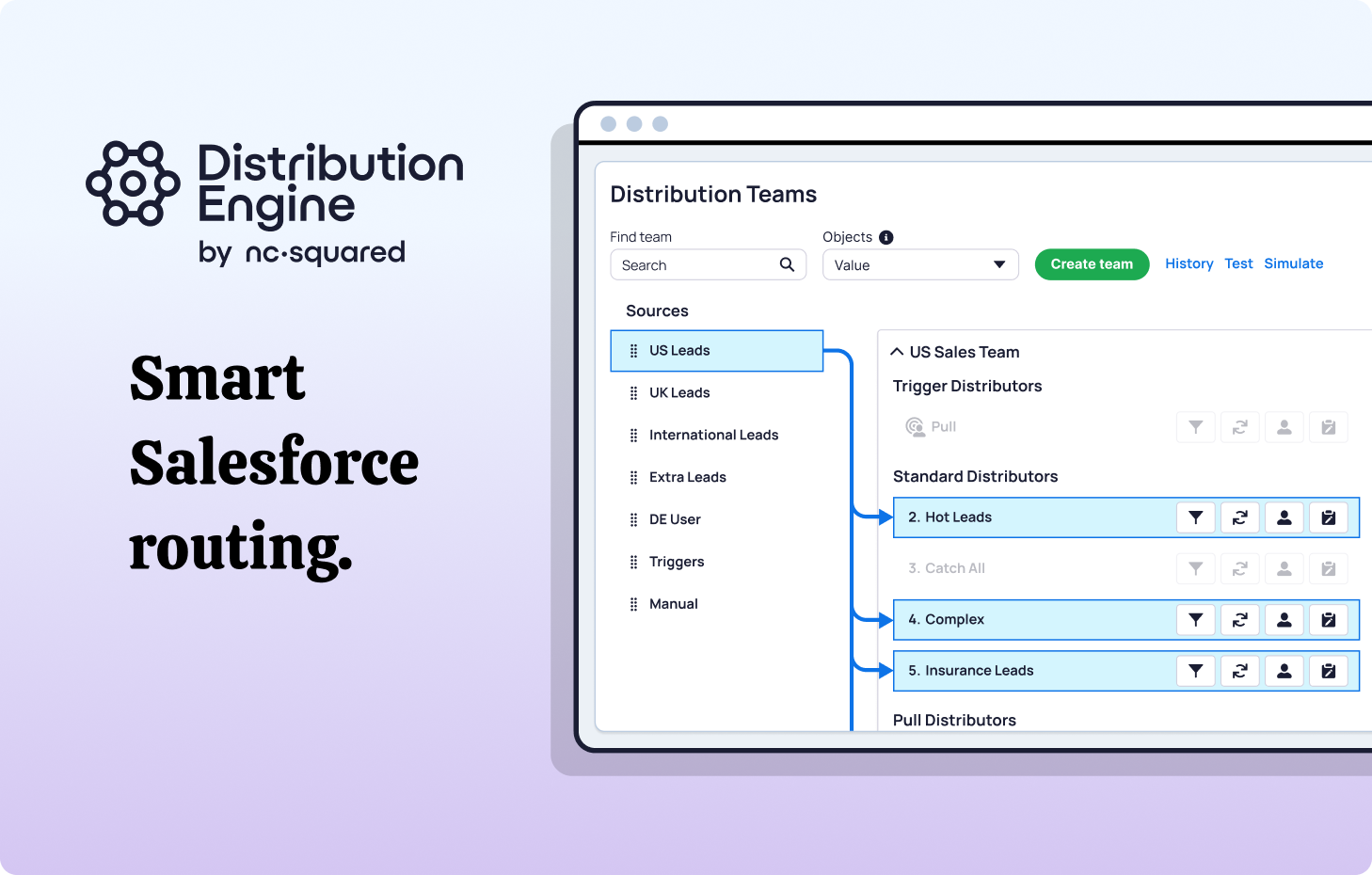
Specialist solutions like NC Squared's Distribution Engine are built to solve the "Admin overhead" problem and streamline your entire routing process.
- Manager-Friendly UI: Instead of digging through Flow Builder or writing Apex code, sales managers can use a simple, drag-and-drop interface to toggle reps in and out of queues, adjust weights, and manage "Out of Office"status.
- SLA Tracking and Reassignment: If a lead isn't touched within 15 minutes, the Distribution Engine can automatically pull it back and reassign it to the next available rep. This "failsafe" ensures no lead ever goes cold and maintains faster response times throughout the sales cycle.
- The Booking Engine Integration: One of the most powerful use cases for automated lead routing is to let the prospect route themselves. NC Squared's Booking Engine allows prospects to book a meeting directly on the right person's calendar based on the same routing rules used for your leads. This ensures every inbound lead gets immediate follow-up.
The Bottom Line: Better Routing = Better Revenue.
Automated lead distribution is the connective tissue between your marketing spend and your sales results. When you get it right, your Revenue Operations strategy transforms from a reactive "firefighting" mode into a proactive, high-velocity engine that removes bottlenecks and accelerates your entire sales process.
By balancing the simplicity of native tools with the power of specialist solutions like NC Squared, you can ensure that every lead gets to the right person, at the right time, every single time.
Ready to take the complexity out of your Sales Operations Automation? NC Squared helps hundreds of global brands optimize their Lead Management and hit their speed-to-lead targets.
Fancy giving Distribution Engine a try?
Have a play around for free, or get in touch if you’d prefer to chat.


Take us for a spin with a 30 day Free Trial
Have a play around for free, or get in touch if you’d prefer to chat.
%20dark.avif)