
Salesforce Ben's AppAssessor review of Distribution Engine - check it out now!
Test it for free for 30 days or get in touch if you’d prefer to chat.
Fancy giving Distribution Engine a try?
Have a play around for free, or get in touch if you’d prefer to chat.
Understanding Lead Assignment In Salesforce: Core Concepts & Best Practices.
Key takeaways:
Functional vs. strategic lead routing – Most systems can technically push leads around, but as you scale, bad routing logic creates the classic mess: overlap, dropped handoffs, and leads gathering dust
Why effective assignment matters – When routing fails, you get lopsided workloads and cold leads, and while everyone obsesses over the five-minute response window that doubles conversions, accuracy and fairness are equally make-or-break.
Core Salesforce tools & limitations – Assignment Rules, Queues, and Flows handle the straightforward stuff beautifully until your scenarios get complex, at which point you're duct-taping exceptions until the whole thing becomes a maintenance nightmare.
Four foundational principles – The systems that actually hold up long-term are built on clarity, automation, fairness, and visibility - simple rules that fire automatically, distribute equitably, and surface the metrics you need.
Common pitfalls & best practices – Teams hit walls around scalability and workload balance because they didn't build in fallback logic, so the move is to automate early, review religiously, route by skill and capacity, and redistribute stalled leads fast.
Strategic RevOps focus & NC Squared's solution – Lead assignment is core RevOps territory where marketing meets sales, and tools like NC Squared's Distribution Engine automate the whole thing natively in Salesforce - giving you flexibility, transparency, and fair distribution so your team can focus closing pipeline instead of constantly fixing plumbing.
Your lead assignment system may technically work - every new record finds a home, and the leads keep moving. But “technically functional” and “strategically sound” are not the same thing.
What runs smoothly with a ten-person sales team starts showing cracks at twenty. Territories begin to overlap in ways that create confusion rather than coverage. Handoffs during out-of-office periods miss the mark. Queues quietly accumulate high-priority leads while reps wait for assignments. Exception cases multiply until you’re spending more time managing workarounds than actually routing leads.
This guide explores how to architect a routing system for your CRM to assign leads that’s responsive, equitable, & built to scale.
What Is Lead Assignment in Salesforce?
Lead assignment in Salesforce is the process of automatically routing incoming leads to the appropriate sales rep or queue based on predefined criteria such as geography, industry, product interest, lead source, or lead score. Salesforce provides native tools for this - including Assignment Rules, Queues, and Flow Builder - but these tools have well-documented limitations when routing logic becomes complex or when teams need dynamic capabilities like round-robin distribution, workload balancing, or SLA-based reassignment.
Effective lead assignment ensures that every inbound lead reaches the right person as quickly as possible, with ownership clearly defined from the moment of creation. When assignment works well, it’s invisible infrastructure. When it fails, the impact cascades across speed-to-lead, conversion rates, pipeline accuracy, and rep morale.
The Case for Prioritising Lead Assignment
Salesforce promises simple routing. Reality delivers something else: a patchwork of Salesforce lead assignment rules, queues, Flows, & manual interventions. When lead routing fails, the impact cascades:
- Sales reps experience feast-or-famine workloads
- High-quality leads go cold before initial contact
- Managers lose visibility into ownership clarity
Layer in territories, product lines, & global time zones, & complexity multiplies exponentially.
Speed-to-lead remains critical - sub-5-minute response times can double conversion rates. But velocity means nothing when leads reach the wrong rep, or no rep at all.
The solution is using the right software to build assignment logic that reflects your actual go-to-market motion - or deploying a Salesforce-native engine that automates the entire process without the makeshift workarounds.
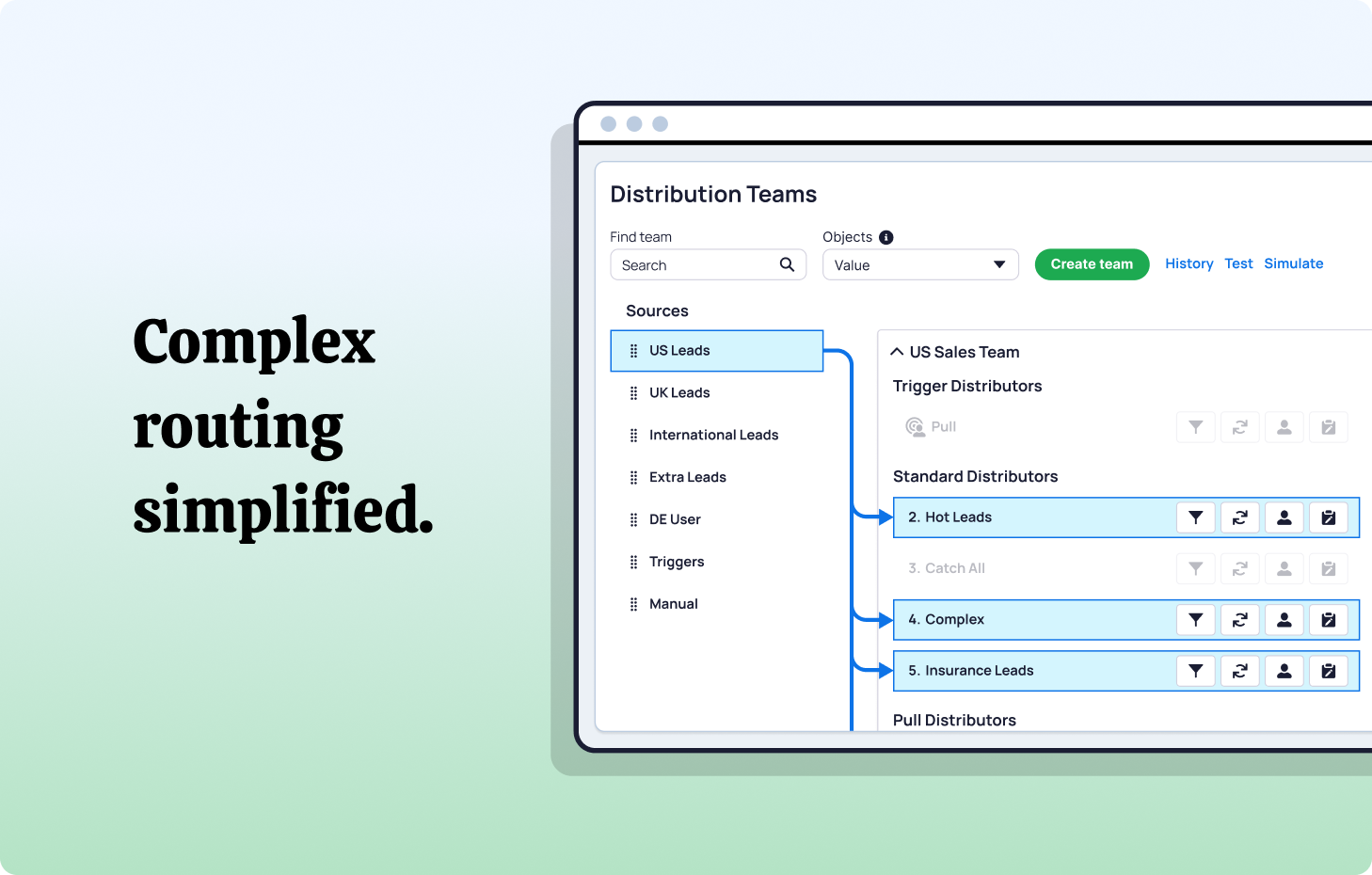
How Salesforce Lead Assignment Rules Work
Salesforce lead assignment rules are a native feature that automatically assigns lead ownership at the point of record creation. Each rule contains a numbered set of rule entries - evaluated top to bottom in sort order - where the first matching entry determines the assignee. Only one assignment rule can be active at a time, but that rule can contain thousands of individual entries.
Assignment rules are triggered when leads are created via Web-to-Lead forms, API calls (with the AssignmentRuleHeader set), Data Loader imports (with the assignment rule checkbox enabled), or integrated marketing automation platforms like Pardot, Marketo, or HubSpot. They are not triggered by record updates unless custom automation explicitly invokes them.
Each rule entry evaluates lead field values against criteria you define - such as lead source, country, industry, or company size - and routes the lead to either a specific user or a Salesforce Queue. The most specific criteria should be placed first (lowest sort order number), with broader catch-all entries at the bottom to prevent leads from falling through unassigned.
Limitations of native assignment rules
Native Salesforce lead assignment rules are effective for straightforward, criteria-based routing but reach their ceiling quickly as teams scale. Key limitations include:
- No native round-robin or load-balancing distribution - rules assign to a fixed user or queue, not dynamically across a team
- Only one active rule at a time - you can’t run different assignment logic for different lead sources simultaneously
- No workload awareness - rules don’t consider how many open leads a rep already has
- No SLA enforcement - there’s no built-in mechanism to reassign leads that sit untouched
- No real-time visibility - native rules don’t provide dashboards showing assignment distribution, speed-to-lead, or queue duration
These gaps are why most growing Salesforce teams eventually supplement or replace native assignment rules with purpose-built routing tools like NC Squared’s Distribution Engine.
Defining Lead Assignment: Core Mechanics.
At its foundation, lead assignment resolves a single question: who’s the lead owner?
Salesforce provides baseline tools:
- Assignment Rules for straightforward logic like geography or region
- Queues for temporarily unassigned leads
- Flows/Workflows for automation sequences such as basic round-robin assignment
These suffice initially - not indefinitely. As lead sources, roles, & edge cases proliferate, the system strains. One custom field adjustment or manual override later, you're in firefighting mode.
Lead Assignment Methods in Salesforce
Beyond native assignment rules, Salesforce teams use several distribution methods depending on their team structure, sales motion, and operational maturity. Understanding these methods helps you choose the right approach - or the right combination - for your organisation.
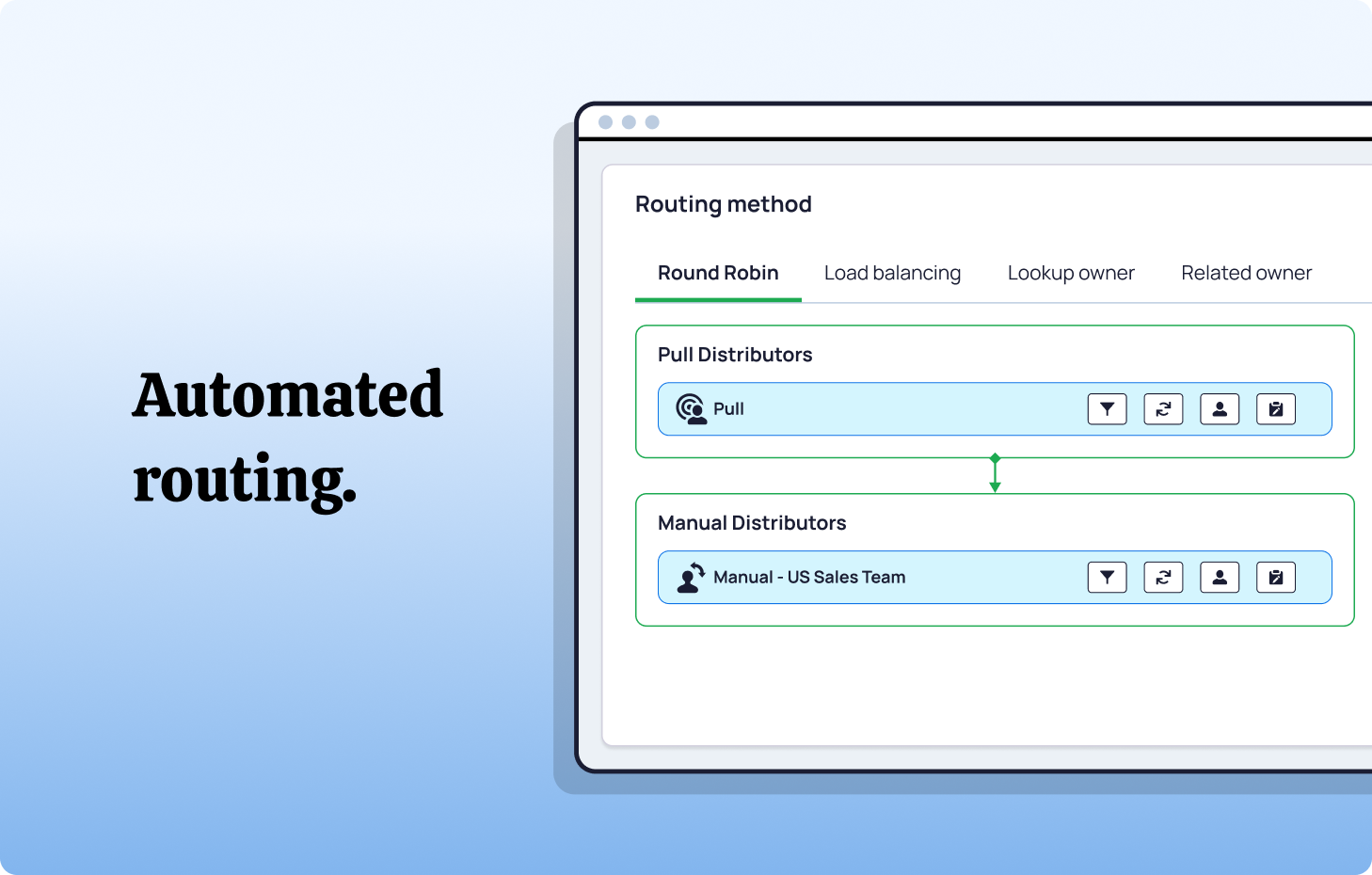
Round-robin is the simplest approach - leads rotate sequentially through a fixed list of reps, ensuring everyone receives an equal share regardless of other factors. It works best for teams where reps have similar capacity and there are no territory requirements.
Weighted round-robin builds on this by assigning leads proportional to a capacity weighting. Senior or full-time reps receive higher allocations, while part-time or newer team members get fewer. This suits mixed-capacity teams where seniority or working hours vary across the group.
Load balancing routes each new lead to whichever rep has the fewest active open leads at that moment, preventing high-performers or fast closers from becoming overloaded. It's particularly effective for high-volume inbound teams where rep workload can fluctuate significantly.
Territory-based routing assigns leads according to geography, whether that's zip or postcode, region, or custom territory field values. This is the natural fit for field sales teams operating within defined geographic boundaries.
Skill-based routing matches leads to reps based on specific expertise - product knowledge, language capability, industry experience, or certifications. It's best suited to specialist sales teams or multi-product organisations where the right rep-to-lead match directly impacts conversion.
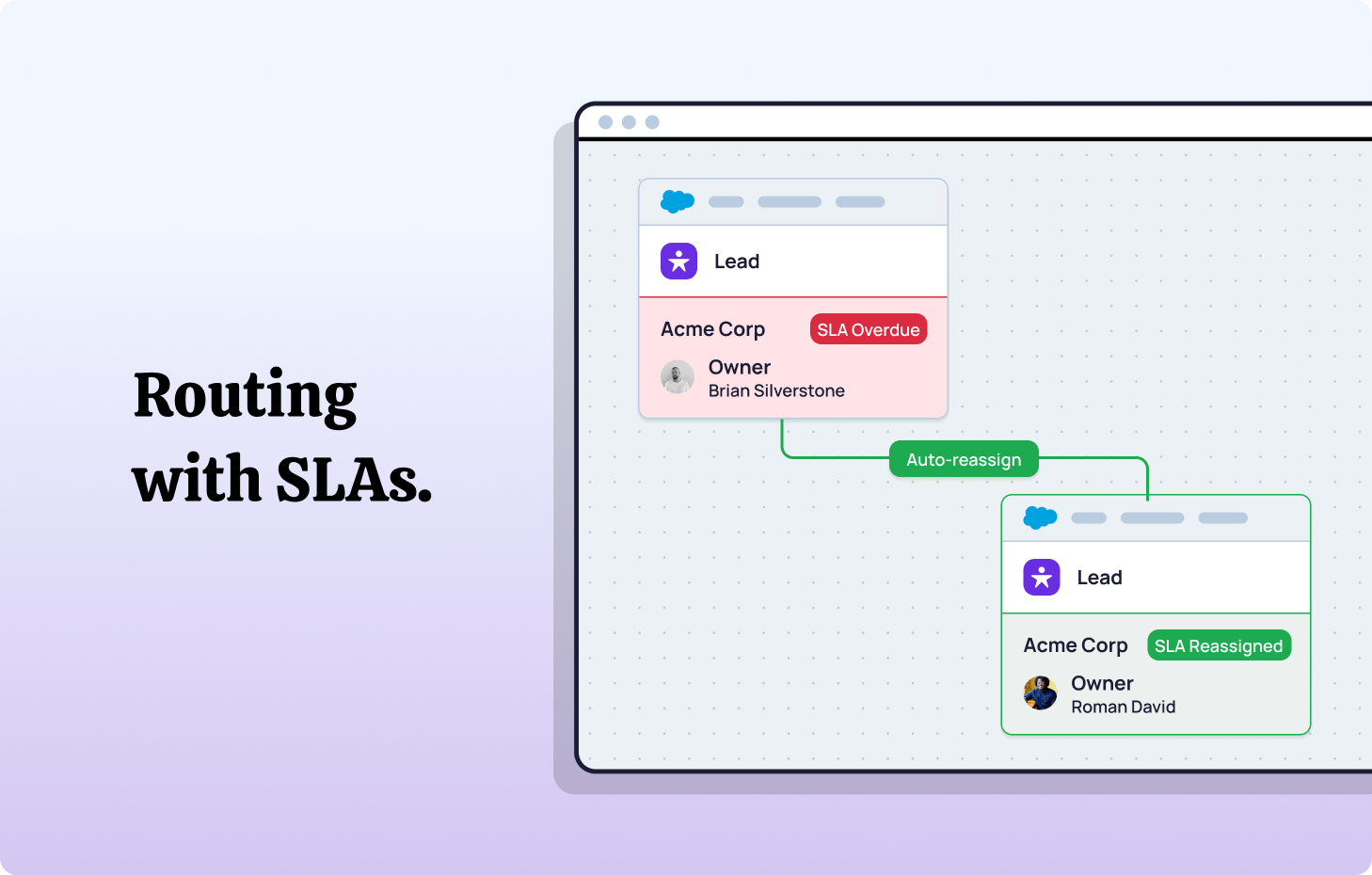
SLA-based reassignment acts as a safety net across any of these methods. If a lead goes untouched within a defined time window, it automatically reassigns to the next available rep. This is valuable for any team where speed-to-lead is a critical factor in conversion rates.
NC Squared’s Distribution Engine supports all of these methods natively within Salesforce - and allows teams to combine them. For example, you can route leads by territory first, then apply weighted round-robin within each territory, with SLA-based reassignment as a fallback.
Four Foundational Principles for Sustainable Lead Assignment.
Building clean routing logic doesn't require Salesforce engineering expertise. It requires adherence to these core truths:
Clarity trumps complexity.
Every rule entry should aim to execute one function. "If X, then Y." If explanations require a complex flowchart, it's overengineered.
Automation trumps reaction.
Manual routing destroys speed-to-lead. Assign ownership the instant a lead enters your system.
Fairness builds trust.
Balanced lead distribution translates to engaged reps & faster follow-up. Burnout degrades performance for everyone.
Visibility drives accountability.
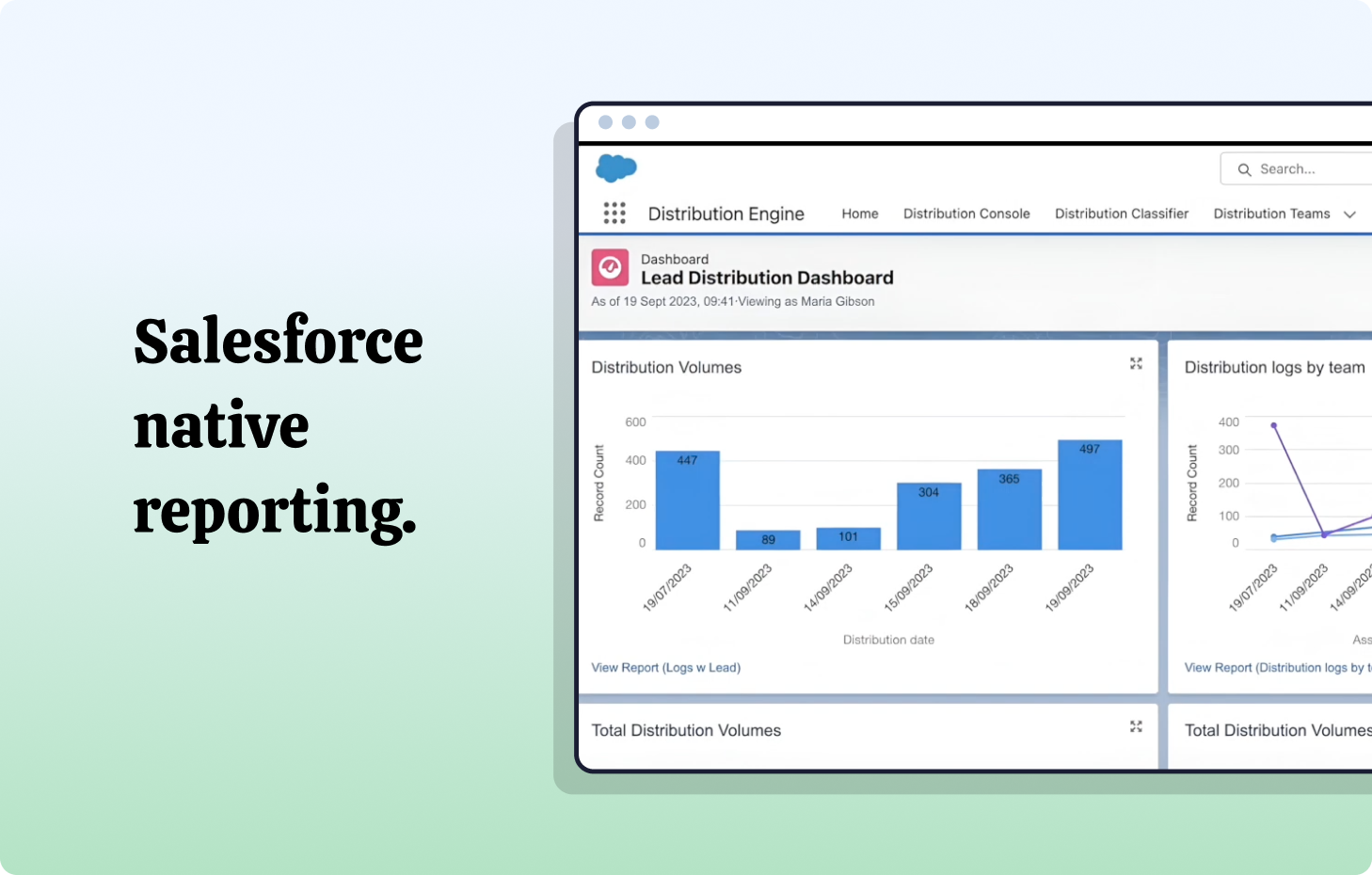
Without performance metrics, management operates blind. Dashboards aren't optional - they're mission-critical infrastructure.
Think of routing like building infrastructure: invisible when functioning properly, catastrophic when compromised.
Common Routing Pitfalls.
Even thoughtfully designed systems break for predictable reasons:
Out-of-the-box rules reach scalability limits. They lack flexibility. Once you need round-robin distribution, workload balancing, or multi-conditional logic, you're layering workarounds indefinitely.
Workload considerations get overlooked. Territory-based routing alone creates dramatic rep imbalances - some overwhelmed by incoming leads, others idle.
Fallback logic doesn't exist. Leads route to inactive users or a salesperson who’s out-of-office, then languish unnoticed.
Visibility gaps persist. Without metrics tracking queue duration or response velocity, you're operating on assumptions, not data.
Assignment rule order creates silent failures. Salesforce evaluates rule entries top to bottom and stops at the first match. When entries are ordered by creation date rather than by specificity, leads consistently land in the wrong bucket - and the error often goes undetected because the lead was technically assigned, just to the wrong person or queue.
Sound familiar? Most teams play perpetual whack-a-mole until the next crisis emerges. Effective case assignment offers a more strategic path forward.
Lead Assignment Best Practices: Proven Approaches.
Automate early, audit regularly.
Start simple, then review quarterly. Routing logic degrades quickly as teams evolve, markets shift, & territories reorganize.
Balance workloads strategically.
Fairness protects revenue and maintains lead management. Implement workload caps or rotation logic to maintain lead velocity & rep morale simultaneously.
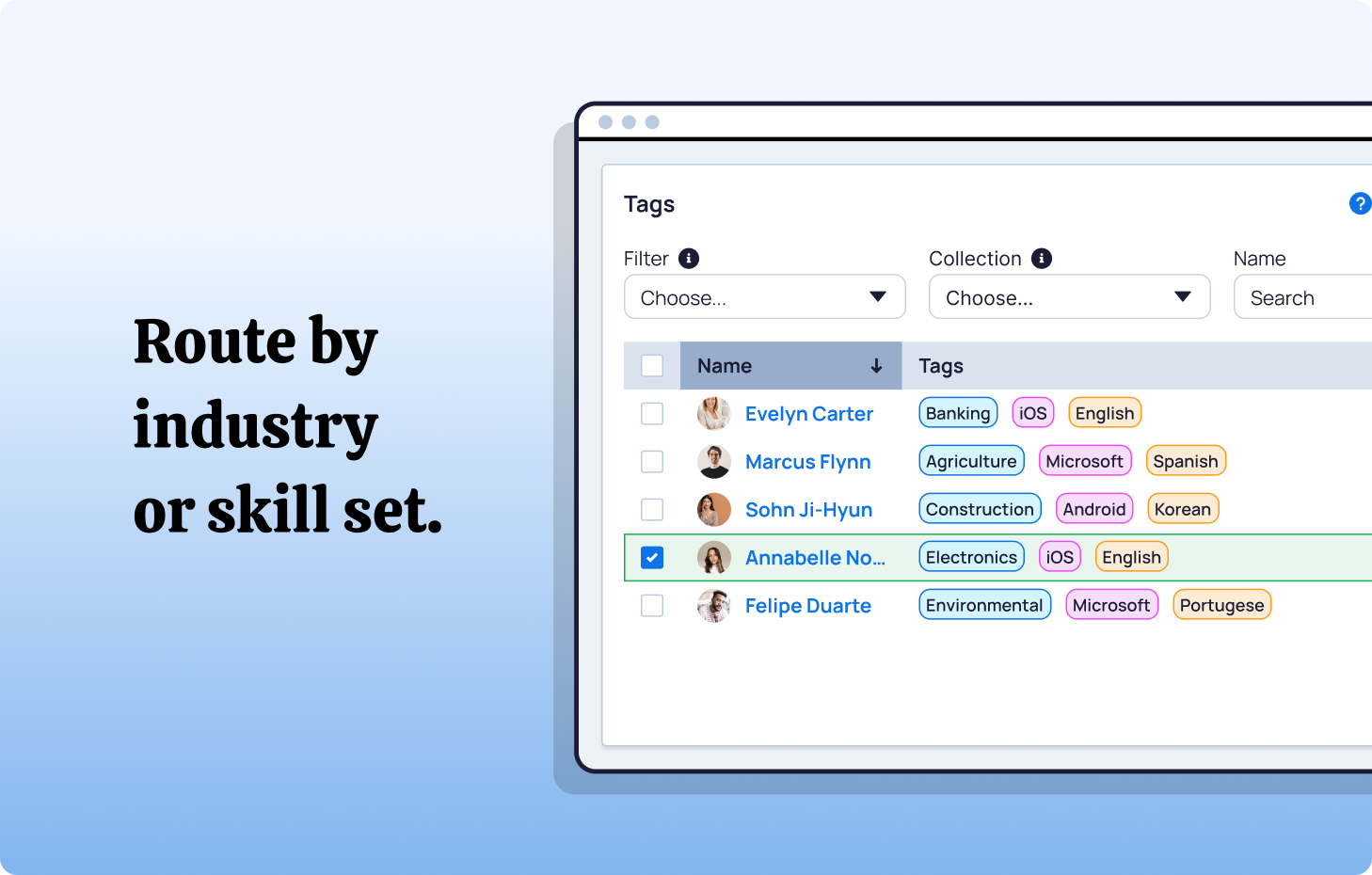
Match skills & availability.
Route inbound leads to the right person in a position to close - by expertise, region, or active hours. Don't send EMEA leads to an offline US rep.
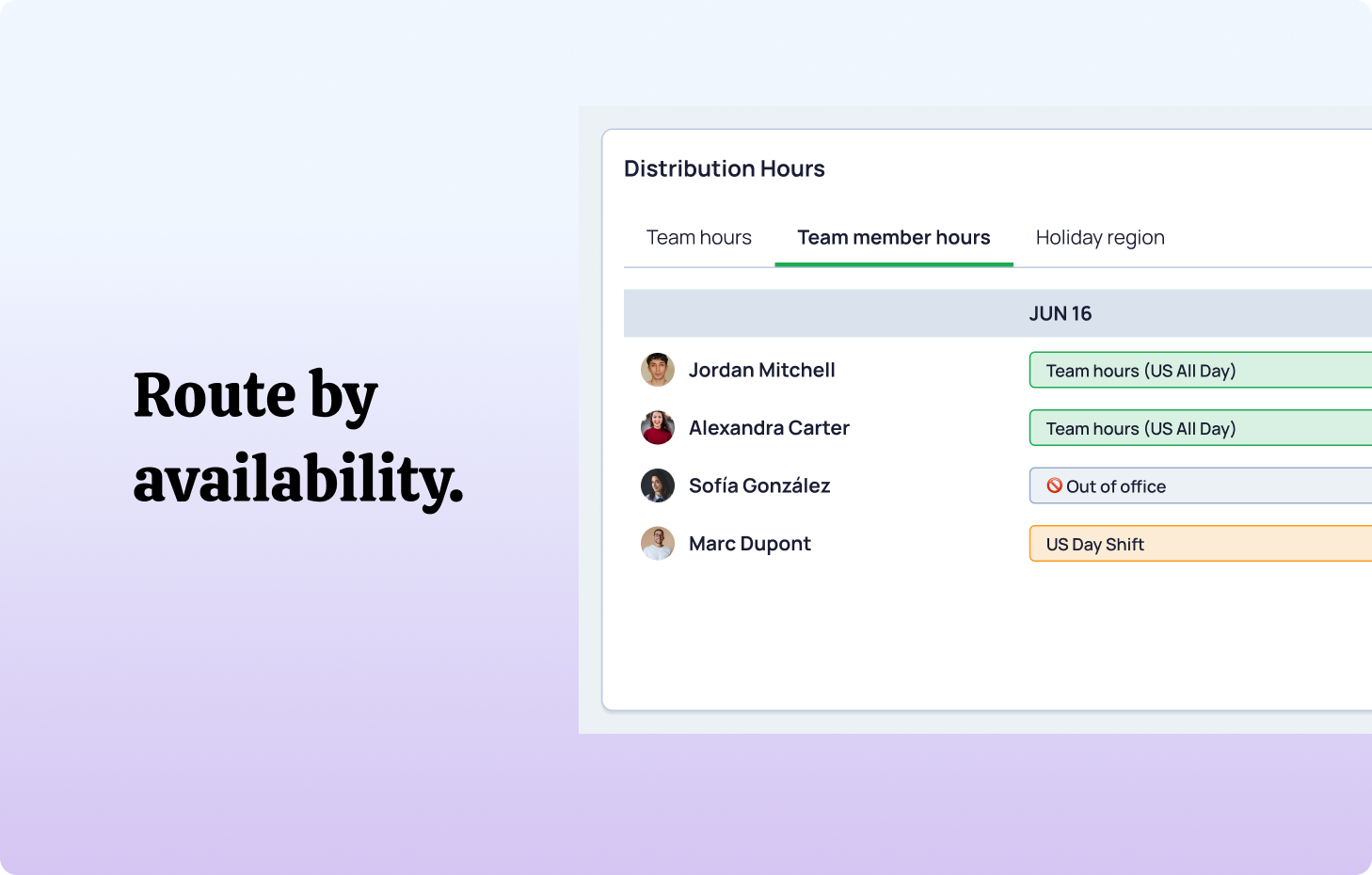
Monitor response velocity.
Track pickup times via dashboards. Bottlenecks typically indicate unclear ownership or missing fallback protocols.
Reroute idle leads automatically.
Establish SLAs, then reassign leads that sit untouched. No exceptions.
Put your most specific assignment rule entries first. Salesforce’s first-match-wins evaluation means that broad catch-all rules placed above specific ones will intercept leads before they reach the right entry. Order entries from most specific to least specific, and always include a final catch-all entry that routes unmatched leads to a review queue rather than letting them fall through unassigned.
This doesn't require extensive development resources - just clear process design & commitment to continuous improvement.
360 Learning demonstrated this approach when they implemented NC Squared's Distribution Engine, achieving 97% routing accuracy & sub-10-minute response times - driving a 40% conversion increase.
Whoever owns the work should own the workflow.
When routing workflows are controlled by Salesforce architects and developers, momentum stalls further.
It makes sense that teams closest to the work and the requirements should have the keys to how their workflows are built and managed.
Lead routing is at the critical junction between marketing & sales - where intent transforms into pipeline. Get it wrong, & you experience:
- Degraded follow-up velocity
- Distorted conversion analytics
- Collapsed capacity planning
Treat routing as operational infrastructure, not a one-time project. Ask these diagnostic questions:
Does routing align with our ICP & territory strategy?
Are reps loaded equitably?
Can we modify logic without developer dependency?
"Yes" indicates mature RevOps capabilities. "No" signals hidden revenue friction.
Excellence in Practice: NC Squared's Distribution Engine.
So we've established that Salesforce's native solutions fall short. Architecting a bulletproof workaround sounds like months of Flow debugging, integration mapping, and late-night Apex rewrites. But here's the relief: you don't need to build it yourself.
That's precisely where Distribution Engine steps in. Enterprise-grade heavy-duty routing without the heavy-duty headache - native to Salesforce, zero external dependencies, and designed for RevOps, admins and GTM teams to implement not developers to lock in a ‘black box’.
It provides capabilities that should've been Salesforce defaults:
- Flexible routing rules - by ownership, permissions, territory, workload, or skill-matching
- Capacity-aware assignment respecting current rep load
- Real-time rerouting when leads remain untouched
- Performance dashboards delivering instant visibility
- No-code configuration enabling admin-level adjustments
The outcome: converting more pipeline, thanks to accelerated response times, equitable distribution, & elevated conversions - all without leaving your Salesforce environment.
Consider Tebra, who unified their post-merger routing infrastructure with Distribution Engine, increasing speed-to-lead +40% and converting +30% more as a result.
If you've debugged broken Flows at 2 a.m., this is your exit strategy.
Build vs. Buy (spoiler: there is no ‘free’ option).
Building custom routing logic in Salesforce is possible. Many teams attempt it. Here's the actual cost:
Maintenance burden: Every new rule introduces fragility.
Scalability constraints: Growth multiplies exception handling.
Visibility limitations: Custom systems rarely include robust reporting.
Velocity drag: Every modification consumes developer bandwidth.
Deploying Salesforce-native routing like Distribution Engine means RevOps & Admins focus on strategy, not constant troubleshooting.
Consider this framing: managing your sales process generates revenue. Maintaining the plumbing infrastructure behind it doesn't.
Building Your Lead Assignment Framework.
Start with a scalable blueprint:
Step 1: Map all sources - Document every inbound channel & its routing requirements.
Step 2: Define ownership logic - Territory, product line, vertical - be explicit & unambiguous.
Step 3: Add fairness rules - Round-robin distribution, capacity thresholds, or weighted logic.
Step 4: Layer automation - Include SLAs & fallback triggers for edge cases. Ensure that when a lead crosses your MQL threshold, assignment fires immediately - not on a scheduled batch.
Step 5: Monitor continuously - Track balance, speed, & volume weekly. Set up dashboards that surface queue duration, assignment distribution by rep, and SLA breach rates so problems are visible before they compound.
Whether you manage this manually or through NC Squared, this clarity compounds value daily.
The Strategic Takeaway
Lead assignment isn't about rules - it's about responsiveness.
When leads sit idle or reps carry uneven loads, that's not a Salesforce limitation - it's a process design flaw. & it's solvable.
Simplify your logic. Automate the execution. Build visibility. Then decide whether to maintain it internally - or let NC Squared's Distribution Engine handle it natively, reliably, and at speed.
Because your reps should be selling - not wondering who owns the next lead.
Whether you’re setting up Salesforce lead assignment rules for the first time or replacing a system that’s outgrown native tools, the fundamentals are the same: define clear ownership logic, automate assignment at the point of creation, build in fairness and fallback rules, and monitor speed-to-lead and distribution equity continuously. The teams that treat lead assignment as living operational infrastructure - not a one-time configuration - are the ones that consistently convert more pipeline into revenue.
Learn how Distribution Engine helps RevOps teams route faster & sell smarter →
Frequently Asked Questions About Salesforce Lead Assignment
What is a lead assignment in Salesforce?
Lead assignment in Salesforce is the process of automatically routing incoming lead records to specific sales reps or queues based on predefined criteria. Salesforce’s native Assignment Rules evaluate lead field values (such as geography, industry, lead source, or company size) and assign ownership at the point of record creation. The goal is to ensure every lead reaches the right person as quickly as possible, with clear ownership from the moment of entry.
How do Salesforce lead assignment rules work?
Salesforce lead assignment rules contain numbered rule entries that are evaluated top to bottom. Each entry defines filter criteria (the conditions a lead must match) and an assignee (a specific user or queue). Salesforce stops at the first matching entry and assigns the lead accordingly. Only one assignment rule can be active at a time, but it can contain thousands of entries. Rules are triggered on lead creation via Web-to-Lead, API, Data Loader, or marketing automation integrations - not on record updates unless custom automation invokes them.
What is round-robin lead assignment in Salesforce?
Round-robin lead assignment distributes incoming leads sequentially across a team of sales reps, ensuring each rep receives an equal share. Salesforce does not support round-robin natively through assignment rules - implementing it requires custom Flow automation, Apex triggers, or a third-party tool like NC Squared’s Distribution Engine. Weighted round-robin variants allow different allocation ratios based on rep capacity, seniority, or working hours.
Why do leads go unassigned in Salesforce?
Leads go unassigned in Salesforce when no rule entry matches the lead’s field values, when the assigned user is inactive or out-of-office, when assignment rules aren’t triggered (e.g. the ‘Use active assignment rule’ checkbox wasn’t enabled during import), or when rule entry order causes leads to match the wrong criteria. Adding a catch-all entry at the bottom of your assignment rule that routes unmatched leads to a review queue prevents leads from falling through entirely.
How can I automate lead assignment in Salesforce?
Salesforce offers several native automation options: Assignment Rules for criteria-based routing at lead creation, Flow Builder for more complex logic including basic round-robin, and Apex triggers for fully custom routing. However, native tools don’t support workload balancing, SLA enforcement, or capacity-aware distribution. For these capabilities, Salesforce-native third-party solutions like NC Squared’s Distribution Engine automate assignment across any object - Leads, Cases, Opportunities, and custom objects - with real-time routing, load balancing, and SLA-based reassignment.
What is the difference between lead assignment rules and lead queues in Salesforce?
Assignment rules determine who owns a lead at the point of creation by evaluating criteria and routing to a specific user or queue. Queues are shared pools where leads wait for a rep to claim or be assigned them. Rules are the routing logic; queues are a destination. In practice, assignment rules often route leads to queues as an intermediate step, and then additional automation (or manual claim) distributes leads from the queue to individual reps.
Fancy giving Distribution Engine a try?
Have a play around for free, or get in touch if you’d prefer to chat.


Take us for a spin with a 30 day Free Trial
Have a play around for free, or get in touch if you’d prefer to chat.
%20dark.avif)